
MP3Juice
MP3Juices - Free MP3 Juice music downloads
Finding a song you love should not take more than a few seconds. MP3Juice is a browser-based tool that allows you to search for music by song title, artist name, or a YouTube link, preview the result, and choose an MP3 audio or MP4 video option to save on your device. No app to install and no account to create. You open the website, type what you want, and pick the version that matches.
Whether you are looking for a new popular song, a remix, a talk, or a podcast episode, MP3 Juice gives you search, preview, and format options all on one simple screen. It works on phones, tablets, and computers, so you can use it wherever you are.
Trending Music and New Releases
Discover popular songs and new releases in South Africa. Choose a track to see its MP3 download options.
-
 Ichunu
Mthandeni SK
New Release
Ichunu
Mthandeni SK
New Release
-
 Halala
SNQAMU SODIDLA
New Release
Halala
SNQAMU SODIDLA
New Release
-
 Amakhala Eyiqhwaga
Mthandeni SK
New Release
Amakhala Eyiqhwaga
Mthandeni SK
New Release
-
 Imikhonto
Mthandeni SK
New Release
Imikhonto
Mthandeni SK
New Release
-
 Distance
Zulu Queens, Lwah Ndlunkulu, MaWhoo, Feza
New Release
Distance
Zulu Queens, Lwah Ndlunkulu, MaWhoo, Feza
New Release
-
 Lashona Ilanga
Inkos’Yamagcokama
New Release
Lashona Ilanga
Inkos’Yamagcokama
New Release
-
 Hulumeni
SNQAMU SODIDLA
New Release
Hulumeni
SNQAMU SODIDLA
New Release
-
 Thethelela Dlozi Lami (Gwijo)
Afro Members
New Release
Thethelela Dlozi Lami (Gwijo)
Afro Members
New Release
-
 Abahambe
SNQAMU SODIDLA
New Release
Abahambe
SNQAMU SODIDLA
New Release
-
 UKUK'THANDA YEBO
MALIBONGWE
New Release
UKUK'THANDA YEBO
MALIBONGWE
New Release
Updated periodically from regional YouTube music trends.
What Is MP3Juice?
MP3Juice is an online music search and MP3 converter tool. Type a song name or artist, or paste a YouTube URL, and our website shows matching results with details such as the title, thumbnail, and duration. After you select a result, you can choose to save it as an MP3 (audio only) or MP4 (video with sound), depending on what is available for that source. You may also see it written as MP3 Juice or MP3Juices; it is the same tool.
The site doesn't host a music library. It searches publicly available sources and converts the one you pick. Because it works directly in your web browser, you can use it on Android, iPhone, Windows, and Mac without installing any extra software.
Why Use This Music Downloader?
There are many ways to listen to music today, but each one has some limits. Streaming apps need a subscription and an internet connection, and many songs, remixes, and live recordings are not available on them. A free music downloader like MP3Juice helps solve this problem.
Here is why people choose it:
- Easy to start: Type a name or paste a link. That is all you need to do.
- No sign-up: You can search without making an account or sharing personal information.
- Multi-format support: Choose audio only for listening or video when you want to see the visuals.
- Works everywhere: Open it in any modern browser on any device.
- Many choices: Search results come from different sources, so you can find official songs, live versions, covers, and more.
- Check before saving: Listen to a preview first so you do not save the wrong version.
How to Download Music and Video with MP3Juice
An MP3 juice download takes only a few steps.
- Open this website in any browser on your phone or computer.
- Go to the search bar and type a song title or an artist name, or both. If you already know the exact video, paste its YouTube link into the search box.
- Click Search and wait for the list of results to appear.
- Choose the right result. Check the title, thumbnail, and duration. Use the Play button to preview it if you are unsure.
- Select a format. Pick MP3 for audio or MP4 for video.
- Choose a quality and click the Download Button.
- Wait some time, and the file will be saved in your device's default downloads folder.
How the Tool Works
Behind the simple screen, the process has three parts:
- Search: When you enter a keyword or link, the search looks through publicly available sources and returns the closest matches.
- Conversion: When you choose a format, the tool processes the source and prepares it as an MP3 or MP4 file.
- Delivery: Once ready, you get a download button. The file is saved directly to your device.
The whole process usually takes only a short time, depending on the length of the track and your internet speed.
Key Features
Smart Keyword Search
Type a song title, an artist, an album, or even a mix of words. The search tool matches your input with relevant results, so you do not have to remember exact names.
YouTube Link Support
Already found the exact video you want? Paste the link into the search box. This is the most accurate way to get the specific version you are looking for. It works like a simple YouTube to MP3 converter: paste the link, pick MP3 or MP4, and save.
Built-In Preview Player
The site has a built-in preview player that lets you listen before you download. The preview helps you make sure the track is the right song, version, or remix, so you do not save the wrong file.
MP3 and MP4 Options
You can choose MP3 audio-only for everyday listening or MP4 video when you want to keep the visuals, such as a music video, live show, or tutorial.
Multiple Quality Options
Pick the quality that suits your needs. For MP3, you may see options like 64 kbps, 128 kbps, 192 kbps, 256 kbps, and 320 kbps. For MP4, you may see video qualities like 360p, 480p, 720p, and 1080p. Lower quality uses less storage space, while higher quality gives better sound or clearer video. The options you see depend on the original source; most YouTube audio is around 128–160 kbps, so higher bitrates do not add real quality.
No Account Needed
You can search and download without registering. There is no profile to set up and no email to confirm. And because it is a browser-based MP3 converter, you don’t need to install any software.
Works on Any Device
The downloader is fully browser-based. It runs on phones, tablets, laptops, and desktops with no app or plugin required.
Easy Result Details
You can quickly find the right result by checking the simple details. You can see the title, length, thumbnail, and other useful information. This makes it easy to compare results and choose the one you want.
Share Option
If you find a great song? Use the share option to send it to your friends or family on social media. Sharing music can help you stay connected with the people you care about.
Regional and Trending Music
Explore popular songs and find music from different regions and genres. It is a great way to discover new music and learn about old and traditional songs from your region.
Everyday Benefits of Offline Music
- You can keep your favorite songs ready for your daily commute, road trips, workouts, or other activities.
- A music downloader can make everyday listening easier by giving you quick access to audio you want to enjoy during your free time.
- Having music saved on your device can be useful when you are traveling or in a place with a poor internet connection.
- You can also keep useful audio, such as language lessons, lectures, or podcasts, ready to listen to when you have time.
- It can help you enjoy music and other audio without needing to stream the same content every time.
- If you often listen to the same tracks, saving them can make it easier to find and play them whenever you want.
- Downloading audio over Wi-Fi can also help reduce mobile data use when you listen to the same content again later.
Which Music Genres Can You Find?
The search is not limited to one catalogue or style. Because search results come from a wide range of sources, you can look for almost any type of music.
- Pop, Rock, and Hip-Hop: Chart hits, classics, and new releases
- R&B, Soul, and Jazz: Smooth vocals and timeless recordings
- Electronic and Dance: House, techno, trance, EDM, and DJ mixes
- Country and Folk: Storytelling songs and acoustic favorites
- Reggae and Dancehall: Island and Caribbean sounds
- Afrobeats and African Music: Afro pop, amapiano, highlife, and more
- Latin Music: Reggaeton, salsa, bachata, and Latin pop
- K-Pop and J-Pop: Popular Korean and Japanese music
- Bollywood and Indian Music: Film songs, devotional music, regional hits, and indie tracks
- Classical and Instrumental: Orchestral pieces, piano, and background music
- Gospel and Devotional: Worship songs and spiritual music
- Spoken Audio: Podcasts, lectures, speeches, and audiobooks-style content
Search tip: Add a genre word to your search, such as "acoustic", "live", "remix", or "lofi", to narrow down the results.
Which Audio and Video Formats Are Supported?
MP3 (Audio)
MP3 is the most popular audio format in the world. It plays on almost every phone, computer, car stereo, and smart speaker, and the files are small. The converter usually offers a range of bitrates, from lower options like 64 kbps and 128 kbps for saving space to higher options like 256 kbps and 320 kbps.
MP4 (Video)
MP4 keeps both video and sound in one file. It is a good choice for music videos, concerts, dance clips, tutorials, and interviews. Resolution options usually range from small sizes like 144p to HD levels like 720p and 1080p, and sometimes higher, depending on the source.
MP3 vs MP4: Which Should You Choose?
| Feature | MP3 | MP4 |
|---|---|---|
| Best for | Songs, podcasts, lectures | Music videos, live shows, tutorials |
| File size | Small | Larger |
| Plays on | Almost all devices | Most devices with a video player |
| Contains | Audio only | Video and audio |
If you only want to listen, choose MP3. If you want to watch, choose MP4.
Tips for Better Results
- Use the artist and song title together for more accurate matches.
- Paste a YouTube link when you need one exact version.
- Add clues such as "official", "live", "acoustic", or "remix".
- Check the duration. A 3-minute song and a 1-hour mix are very different files.
- Preview first to avoid saving the wrong track.
- Choose the right quality. Use a medium bitrate for phones and a higher one for good speakers or headphones.
- Keep your storage in mind before downloading long videos or big playlists.
- Use a stable internet connection for smoother conversion.
Safety and Responsible Use
Like any online tool, it is a good idea to use this downloader carefully and responsibly.
- Respect copyright by downloading only content you own, content in the public domain, content with a free license, or content the creator allows you to download.
- Keep downloaded files for personal use and avoid sharing, selling, or uploading them without permission.
- Check the laws in your country, as rules about downloading and using online content can be different from one place to another.
- Support artists you enjoy by streaming their music legally, buying their work, or attending their concerts.
- Stay careful while browsing and avoid unknown pop-ups, ads, or software that you did not choose to install.
- Keep your browser, antivirus, and other security tools updated to help protect your device.
- Check the website address before using it, as similar-looking websites can sometimes be misleading.
Troubleshooting: Why Is My Download Not Working?
If your download is not working, don’t worry. A few quick checks can usually help you find the problem.
- If your internet is slow or keeps dropping, check your connection and try the download again.
- If your device does not have enough free space, remove some old files and try again.
- If you clicked the wrong button, go back and choose the format and quality you want before starting the download.
- If the source is not available, it may be restricted or blocked in your region. In that case, try another available version.
- If the website is not responding properly, refresh the page or clear your browser cache. You can also try a different browser.
- If nothing shows up in the search, check your spelling and try another keyword. If possible, you can also paste the direct link.
Frequently Asked Questions (FAQs)
Is MP3Juice free to use?
Yes, you can search and use all features without paying or creating an account. The service is free for everyone.
Do I need to create an account?
Nope! You can search and download videos without signing up. We’ve kept the whole process fast and simple, so you can find your favorite video and download it in just a few easy steps.
Can I use it on my phone?
Yes. It works in any modern mobile browser on Android and iPhone.
Do I need to install any app or software?
No. There’s nothing to install. The site works directly in your web browser, so you can search, find your favorite content, and download it without installing any extra apps or software.
What is the difference between MP3 and MP4?
The main difference is simple: MP3 is an audio-only format, while MP4 is a multimedia container that can hold video, audio, image, and text. If you only want the sound, for example, to listen to music, podcasts, or other audio on the go, MP3 is best. On the other hand, MP4 is a video format that can contain both visuals and sound. So if you want to watch the video as well as hear its audio, MP4 is the better-suited format.
Can I search using a YouTube link?
Absolutely! If you already have the YouTube video you’re looking for, you don’t need to type in its name or search for it manually. Just copy the YouTube link, paste it into the search box, and let the tool do the work. Using the direct link can help you find the exact video you’re looking for.
What quality can I download?
You can choose from multiple quality options for both MP3 and MP4 downloads. For MP3, available audio qualities include 64 kbps, 128 kbps, 192 kbps, 256 kbps, and 320 kbps. For MP4, you can choose from different video resolutions such as 144p, 240p, 360p, 480p, 720p, and 1080p.
Why can't I find a specific song?
Can’t find the song you’re looking for? Don’t worry, sometimes a search may not show the exact result you expected. Try entering the full song title, and adding the artist or creator’s name can make your search more specific.
Is there a limit on how many songs I can download?
Nope! There’s no limit on how many songs you can download. You can search for your favorite songs and download as many as you need without worrying about daily or monthly download limits.
Where are my downloaded files saved?
Your downloaded files are usually saved automatically in your device’s default Downloads folder. Using a phone, tablet, or computer, you can open your Downloads folder to find your files after the download is complete. If you prefer to save files somewhere else, you can also change the download location from your browser’s settings.
Is it legal to download music with MP3Juice?
It depends on the content and where you live. Downloading copyrighted material without permission may be illegal. Use the tool only for content you have the right to save.
Is MP3Juice safe?
Yes! MP3Juice is safe and privacy-friendly. No personal information or account is required, and no extra software or app needs to be installed. Just search, download, and enjoy.
Essential Music Guides & Troubleshooting
Tested step-by-step guides from our audio engineering specialists to help you convert safely, fix download errors, and organize high-quality music libraries.
 Security & Safety
7 min read
Security & Safety
7 min read
Learn how to tell real MP3Juice web tools apart from dangerous clone sites, stop aggressive notification adware, and keep your device secure.
Read Safety Guide Audio Quality
8 min read
Audio Quality
8 min read
Understand YouTube's native 160k Opus / 128k AAC streams, why fake upscaled 320k files waste storage, and how to verify audio frequency cutoffs.
Read Quality Guide Troubleshooting
9 min read
Troubleshooting
9 min read
Step-by-step solutions for "Failed - Network error", downloads freezing at 99%, Chrome sleeping tabs, and 0-byte unplayable files.
Read Troubleshooting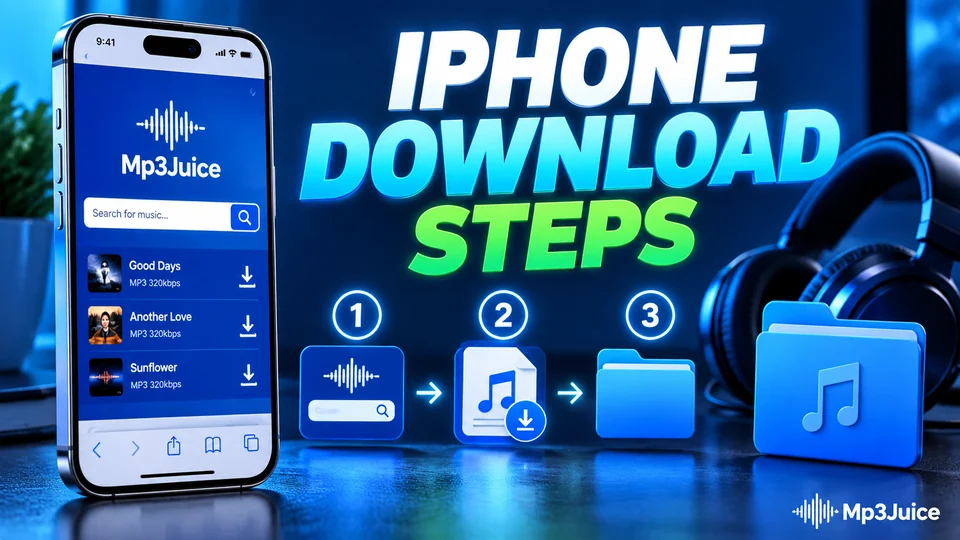 iOS / iPhone
8 min read
iOS / iPhone
8 min read
Use Safari's built-in download manager, the Apple Files app, and free offline players like VLC or Documents by Readdle.
Read iPhone Guide Android
7 min read
Android
7 min read
Find missing tracks with Samsung My Files / Files by Google, navigate Scoped Storage, and fix the hidden .nomedia audio bug.
Read Android Guide PC & Organization
8 min read
PC & Organization
8 min read
Automate ID3v2.3 tag cleaning, attach high-res album covers, and format USB drives (FAT32) so car stereos read every track properly.
Read Windows GuideConclusion
MP3Juice makes finding and saving audio and video simple. With smart search, YouTube link support, a preview player, and MP3 or MP4 options, it fits everyday needs like offline listening, study, workouts, and creative projects. Use accurate keywords, check the details before you download, and always respect copyright so you can enjoy your music the right way.